Projects and service requests
Projects and jobs
A project groups related work for a client account. A job is one specific request within that project. For example, an annual monitoring programme may be a project with separate water, soil, and product-analysis jobs.
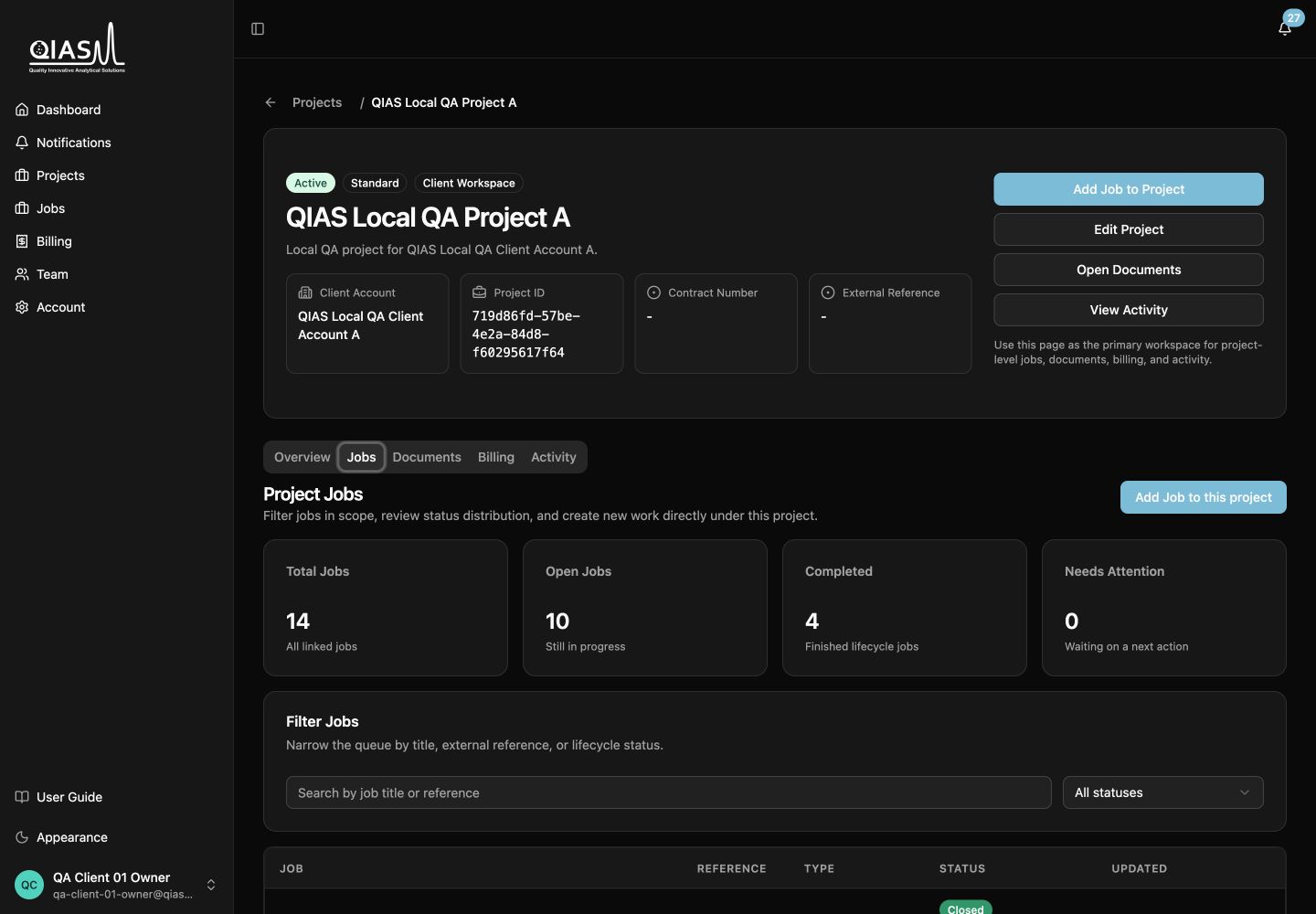
Open Projects, select a project, then open its Jobs tab to see the request list. Published and closed jobs are marked as having final results available.
Create a job
From a project, choose Add Job. QIAS LIMS guides you through the form in steps. If you started from a project, its client account is already used; you do not need to choose it again.
- Job details: give the request a clear title and choose the service type.
- Request details: complete the fields for that service type.
- Project: when creating from an existing project, QIAS LIMS uses the project’s client account.
- Documents: add relevant supporting documents. A sample submission form is optional supporting material, not a requirement to operate the job.
Save as Draft if you need to collect information before submitting. Choose Submit Request when it is ready for QIAS LIMS review.
Sample analysis requests
The request form can include:
- analytical request service
- sample type and number of samples
- requested method, analyte, or service information
- storage condition
- shipment or delivery method
- turnaround preference
- supporting documents
Select the closest available catalog option. If an option is missing, ask a QIAS LIMS administrator to update Admin → Static Data rather than entering an inconsistent free-text substitute.
Supporting documents are optional unless QIAS LIMS says otherwise
The Sample Submission Form is supporting material. The request fields already contain the information required to begin the workflow.
Training requests
Provide the participant count, requested training topics, preferred schedule, and any applicable format or requirements. QIAS LIMS will confirm the operational schedule after payment and assignment.
Consultation requests
Choose the consultation area, provide your preferred time slot, and attach support documents if they will help the consultant prepare.
Edit, cancel, and follow a request
Draft jobs can be edited before submission. After submission, use the job page and its activity/history to follow progress. If a request must stop after submission, contact QIAS LIMS; cancellation is a controlled action and may require a reason.
Write useful titles
A title such as August 2026 drinking-water pesticide screen is easier to locate than Analysis request. It also makes email and notification references clearer for your team.